What "photo dump" means
The name suggests emptying a camera roll, but you do not have to share everything. A useful photo dump is a small edit of ordinary moments: the meal beside the special occasion, the bus window beside the destination, the blurry outtake beside the portrait you meant to take. Its informality comes from the range of material rather than from abandoning every decision about order.
A single carefully finished photo asks the viewer to spend time with one image. A dump lets several pictures describe the same period together. No individual frame needs to tell the whole story, which leaves room for food, signs, screenshots and small details that might not merit a separate post. A short caption can name the thread without explaining each picture one by one.
There is no required visual style. Some sets are unedited camera-roll photographs; others become a scrapbook collage or a continuous strip. You can keep the mood casual while being deliberate about privacy, repetition and readability. Avoid treating the term as a rule that every picture must look accidental. The useful question is whether these images say something together that they do not say separately.
Popular types of photo dumps
A monthly dump collects the small moments that would otherwise disappear between major events. You might repeat the same kind of opening image each month, then let the contents vary. A travel set can follow the days of a trip or group pictures by feeling instead of location. Both work better with a few clear anchors than with every image you took. Monthly recap ideas Travel carousel ideas
A concert dump can mix the venue, the people you went with and the small moments around the performance. A birthday set might show preparation, the gathering and the next morning. An everyday dump can be even quieter: meals, walks, a book and a pet asleep in the same patch of light. The shared period is enough of a theme; you do not need an extraordinary occasion. Concert photo dump ideas Birthday post ideas
A scrapbook dump turns those pictures into a designed page using frames, cutouts and type. Repeating one paper texture or frame style can connect unrelated scenes. Let the photographs remain the subject, especially when the details matter more than the decoration. You can keep one slide simple after a dense collage to give the viewer a change of pace. Explore scrapbook layouts.
What goes in a photo dump
- A wide scene that establishes the place or mood.
- A portrait or candid moment, shared with the person's comfort in mind.
- Food, a coffee table, a ticket stub or another detail from the day.
- A mirror photo, window reflection or landscape that changes the scale.
- A screenshot or note that adds context, after checking names and private information.
- A blurry outtake or a quiet ending that fits the story rather than merely filling a slot.
Choose variety without losing the thread. If three pictures show the same view with almost no change, keep the clearest or most meaningful one. Alternate people, places and details so the set has a rhythm. A picture that is slightly imperfect may belong because of the memory; a technically perfect image may not belong because it describes another period entirely. Make that choice before you decide how to decorate the slides.
How to post one in 4 steps
Choose a thread
Name the period, place or mood in a few words. Use it as a filter when reviewing the camera roll rather than starting with a large random selection.
Pick a small, varied set
Begin with six to ten pictures as an editing exercise. Remove near-duplicates and anything that reveals information you do not want to share. You can use fewer if that tells the story clearly.
Arrange the opening and ending
Start with a strong photo or a simple cover. Alternate broad scenes with details, then choose an ending that feels complete. For connected layouts, keep matching dimensions and review the seam between slides.
Preview and share
Select the saved images as a carousel in Instagram, check the current crop and order, then write a short caption. If you designed the set in Glassy, export it first; the app does not publish or schedule your post.
Photo dump vs carousel vs collage
| Term | What it describes | Example |
|---|---|---|
| Photo dump | A collection and mood | Several casual moments from a month |
| Carousel | A swipeable posting format | A sequence containing a travel dump or a tutorial |
| Collage | Several images in one composition | A grid or scrapbook page used as one slide |
The terms can overlap. A photo dump can be a carousel containing several collage slides. It can also be a straightforward sequence of individual photographs with no shared canvas at all. You do not need an editor just to collect pictures; an editor helps when you want editable spacing, frames, type or a detail that continues over the slide edge. Keep the format as simple as the material allows.
Glassy is one option for that designed version on iPhone. Choose a template and fill it with photos in one go, or start from a blank canvas at your chosen size. Add visual cards for a song, a workout, weather or a place when they help explain the day. Projects stay on the device and no account is required. Premium materials and motion features have Plus requirements shown in the app.
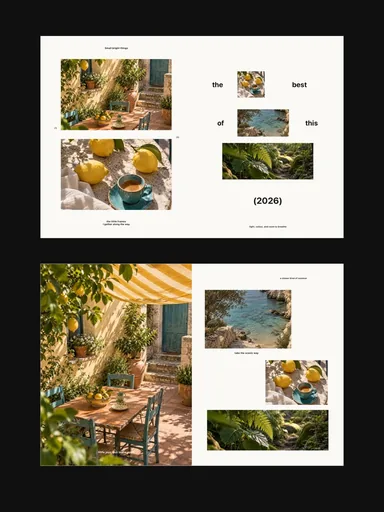 Small Bright Things
 Autumn Outtakes
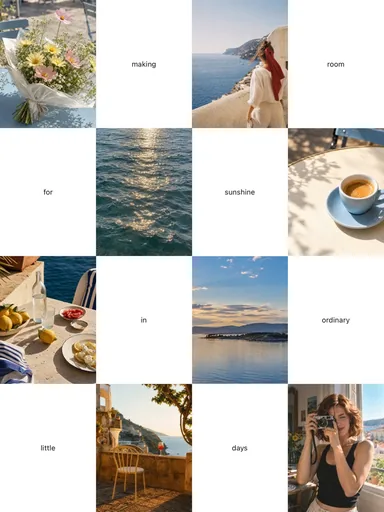 Room for Sunshine
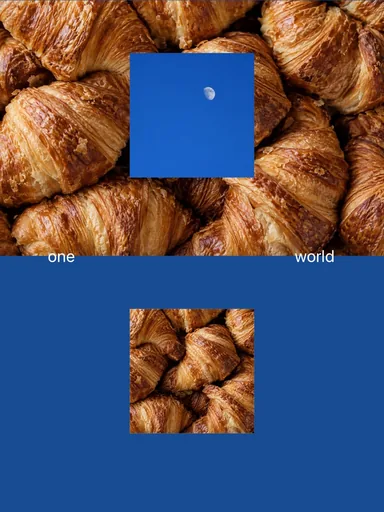 Blue Hour Bakery