Which method should you use?
| Method | Best for | Layouts | Extra app |
|---|---|---|---|
| Collage app (Glassy) | Designed collages, carousels, photo dumps | Templates and free-form layers | Yes |
| Shortcuts: Combine Images | A quick strip or grid of photos | Horizontal, vertical or grid | No (built in) |
| Instagram Stories Layout | A simple grid posted straight to Stories | A few preset grids |
Make a collage with a template in Glassy
Choose a template
Open Glassy, go to Templates and pick a layout, for example a grid in Everyday Collage or a scrapbook in Editorial Layouts.
Fill it with your photos
Tap Use template and select your photos. Glassy fills the photo slots in the order you choose them; double-tap any photo later to replace it.
Adjust the details
Drag photos to reframe them, edit the text, or add stickers, frames and Liquid Glass. Every element is its own layer.
Export
Open the preview and save the collage to Photos. Multi-slide collages export as separate images in order, ready for an Instagram carousel.
Collage templates to start from
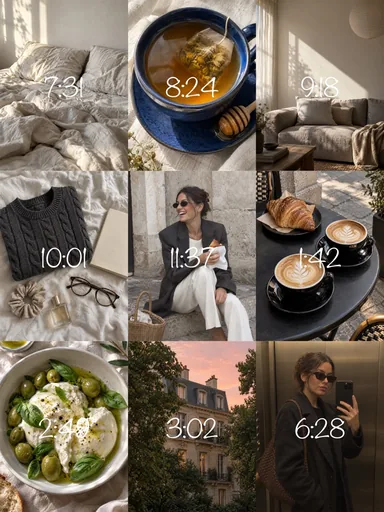 Nine Little Hours
 Slow Summer Grid
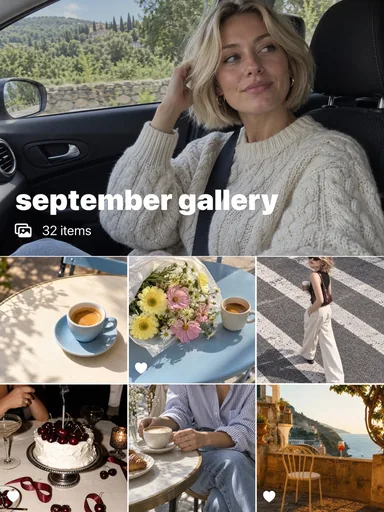 September Gallery
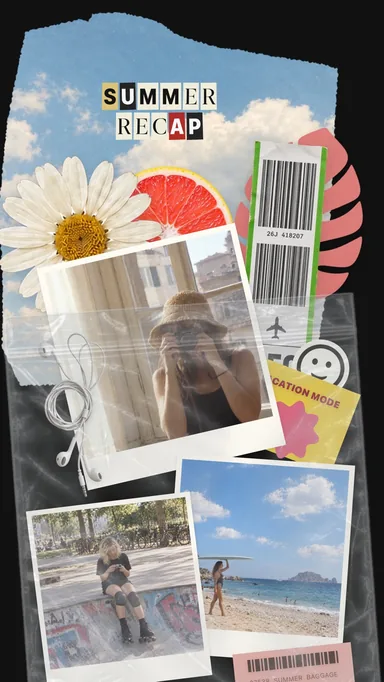 Summer Keepsakes
Combine photos with the Shortcuts app
Create a shortcut
Open Shortcuts, tap + and add the action Select Photos. Turn on Select Multiple.
Add Combine Images
Add the action Combine Images, then choose the mode: horizontally, vertically or in a grid, and set the spacing.
Save the result
Add Save to Photo Album, then run the shortcut and choose your photos. The combined image appears in Photos.
Shortcuts places photos next to each other at their original proportions, with optional spacing. It is fast for a strip or a contact sheet, but it cannot crop each cell, add text or design across several slides.
Tips for a collage that looks intentional
- Pick one color or mood and choose photos that share it; a palette ties different moments together.
- Mix scales: one wide scene, a few close-ups and one small detail read better than equal crops of everything.
- Leave some breathing room. Gaps and margins make a collage look designed rather than crowded.
- Export at 1080 px wide or more so the collage stays sharp after Instagram compresses it.